Trajectories, speed and sequences

Build scenes with visual trajectories more easily

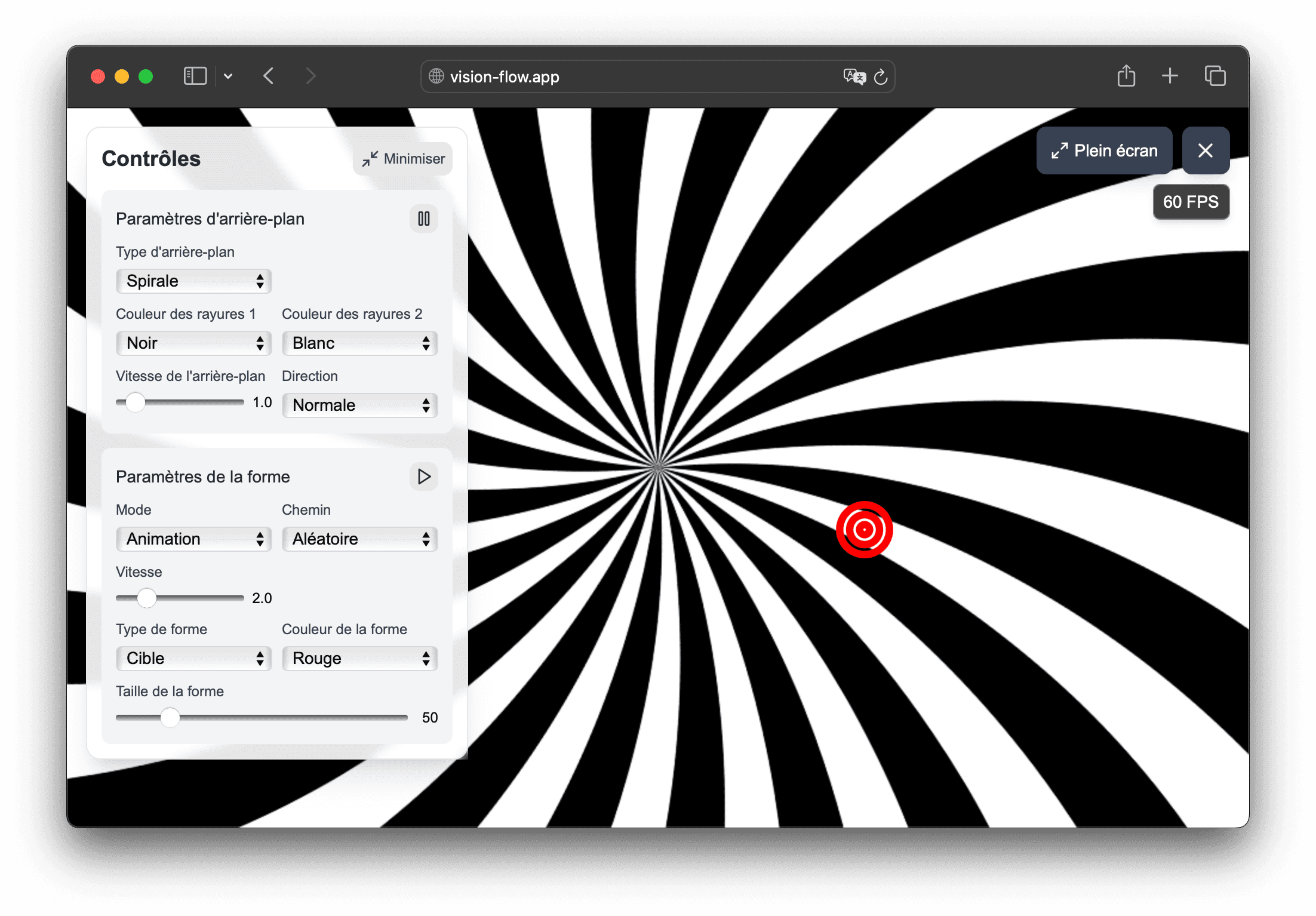
Vision Flow allows orthoptists, physiotherapists and vision professionals to adjust the trajectory, speed and size of the stimulus, then organize multiple steps in a presentation sequence.

  • Horizontal, vertical, circular, figure eight or infinite trajectories
  • Simple variation of background speed and animated shape
  • Pro sequences to chain several steps of the same rendering
  • Use on computer or tablet without local installation
  • Free settings, focused on visual exploration
Configuration of a flow Vision Flow with trajectories and stimulus settings

In the app

How Vision Flow helps prepare visual materials

Vision Flow combines presets, customizable flow and recorded sequences to help orthoptists, physiotherapists and vision professionals prepare visual scenes more easily.

  • Stimulus settings directly in the browser: background, speed, trajectory, size and shape type.
  • Sequences recorded with the Pro offer to prepare reproducible sequences.
  • Use on computer or tablet, with full screen.

01

Choose a trajectory adapted to your visual support

Vision Flow already allows you to modify the path of the animated shape, which gives a very concrete basis for exploring different rhythms of movement.

  • horizontal and vertical movements for simple demonstrations
  • circle, eight and infinity to vary the visual rhythms
  • reversal of meaning to modulate perception
  • quick settings without leaving the browser

02

Advance the sequence without starting from scratch

One of the most useful assets for this type of use is the possibility of switching from a flow to a more stable sequence.

  • sequence of several steps with defined duration
  • duplication of a sequence to keep a common base
  • rapid editing of a sequence according to the desired intensity
  • save time when you often use the same flow canvas

03

Associate trajectory and visual environment

A movement is not limited to moving a target. Vision Flow also allows you to act on the visual environment around the stimulus.

  • striped, spiral, tunnel or hyperspace backgrounds depending on the context
  • adjustable background size, contrast and density
  • size and shape type modified according to the desired readability
  • full screen presentation to better channel visual attention

Frequently asked questions

Useful answers before testing Vision Flow

Is Vision Flow used to impose a working method?

No. The application is mainly used to display and organize visual scenes more easily. The choice of content and progression is entirely up to you.

Can a professional create their own visual trajectories?

Yes. Vision Flow provides a flexible basis for preparing visual trajectories, varying parameters and recording presentation sequences.

What trajectories are available?

You can use horizontal, vertical, circular, figure eight, infinite and, depending on the case, random paths.

Can we chain several steps in the same sequence?

Yes. With the Pro offer, you can record a sequence of several flows, each with its own duration.

Does the application work for quick use?

Yes. Presets and quick settings in the browser allow you to launch a flow in seconds without installation.

Can we reuse the same flow diagram with adjustments?

Yes. You can duplicate an existing sequence and then change just a few parameters, which is handy for keeping the progression consistent.

Usage framework

Vision Flow is a non-medical visual tool

Vision Flow is designed for demonstration, education, creation, presentation and exploration of visual stimuli. It is not intended to diagnose, treat, prevent, monitor, or rehabilitate any disease, symptom, or medical condition.

Certain visual stimuli can cause discomfort, visual fatigue, nausea, dizziness, headache or photosensitive reaction. Stop immediately if discomfort occurs and do not use the tool in a situation where disorientation could be dangerous.

See if Vision Flow matches your visual usage

Test the flows in the browser, then upgrade to the Pro plan if you want to unlock the full settings and record your presentation sequences.