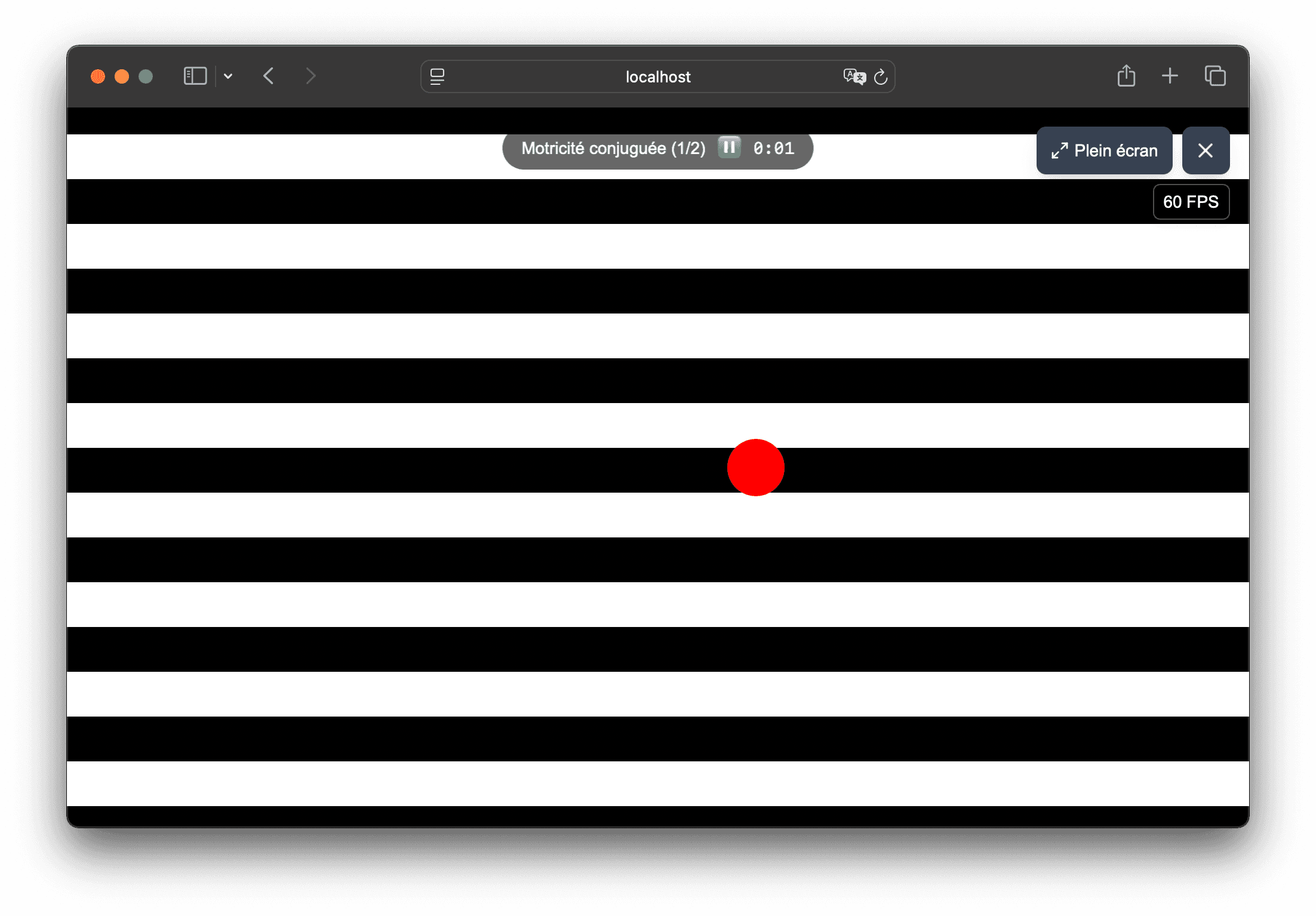
Adjustable visual stimuli for demonstrations

Adaptable visual scenes when optical movement requires precise adjustments

Vision Flow makes it easy to adjust the background, speed and density of the stimulus to provide progressive visual scenes. The application remains useful when you need to quickly test a rendering, then structure more reproducible sequences.

  • Fine adjustments to speed, density and background type
  • Simple use to test a rendering before full use
  • Pro footage recording to keep a stable base
  • Simple use on your usual workstation, without complex installation
  • Creation of adjustable and reusable visual supports
Reading a Vision Flow sequence that can be used as progressive visual support

In the app

How Vision Flow helps prepare visual materials

Vision Flow combines presets, customizable flow and recorded sequences to help orthoptists, physiotherapists and vision professionals prepare visual scenes more easily.

  • Stimulus settings directly in the browser: background, speed, trajectory, size and shape type.
  • Sequences recorded with the Pro offer to prepare reproducible sequences.
  • Use on computer or tablet, with full screen.

01

Adjust the visual load gradually

When you are looking for progressive adjustment, the advantage of Vision Flow is to be able to quickly adjust the stimulus without changing tools.

  • changing background speed and animated shape
  • variation in density of stripes, tunnel or stars
  • choice between several visual environments depending on the rendering observed
  • full screen possible to better control the presentation

02

Keep a consistent baseline from one session to the next

Beyond the one-off test, the application helps stabilize your organization when you want to find an already prepared base.

  • creating sequences with multiple steps and defined durations
  • quick reading from the main menu of the application
  • duplicating sequences to maintain a rendering frame
  • simple adaptation if you need to reduce or increase visual load

03

Usable on different media

100% web operation is useful if you alternate between computer, large screen or tablet depending on the situation.

  • same account and same sequences found on different media
  • useful tablet for a mobile station or shared room
  • quick start via recent browser, without local installation
  • simple support to present for demonstrations

Frequently asked questions

Useful answers before testing Vision Flow

Is Vision Flow intended for a particular use context?

Vision Flow is aimed in particular at orthoptists and vision professionals who want configurable visual support for demonstration, education, creation and visual exploration. It does not impose any protocol and is not a medical device.

Can we start with a low intensity?

Yes. You can test a flow, then adjust the speed, density, and visual environment to build a smoother build-up.

Why are sequences useful here?

Because they allow you to find a stable base from one session to the next, without having to manually re-configure each step.

Can the application be used on a tablet?

Yes. Vision Flow works in the browser on tablet, which is convenient if you need mobile support for your demonstrations.

Should you buy before seeing the result?

No. You can quickly check if the visual environment meets your needs before upgrading to the Pro offer.

Usage framework

Vision Flow is a non-medical visual tool

Vision Flow is designed for demonstration, education, creation, presentation and exploration of visual stimuli. It is not intended to diagnose, treat, prevent, monitor, or rehabilitate any disease, symptom, or medical condition.

Certain visual stimuli can cause discomfort, visual fatigue, nausea, dizziness, headache or photosensitive reaction. Stop immediately if discomfort occurs and do not use the tool in a situation where disorientation could be dangerous.

See if Vision Flow matches your visual usage

Test the flows in the browser, then upgrade to the Pro plan if you want to unlock the full settings and record your presentation sequences.