100% web studio for visual media

A simple studio to prepare and present your visual scenes

Vision Flow allows orthoptists, physiotherapists and vision professionals to test flows immediately in the browser, adjust the stimuli according to the visual objective and, with the Pro offer, record reusable sequences.

  • Direct use on computer or tablet, without installation
  • Immediate test of flows before moving to the Pro offer
  • Pro offer: complete flows, advanced settings and recorded sequences
  • Creation, presentation and visual exploration directly in the browser
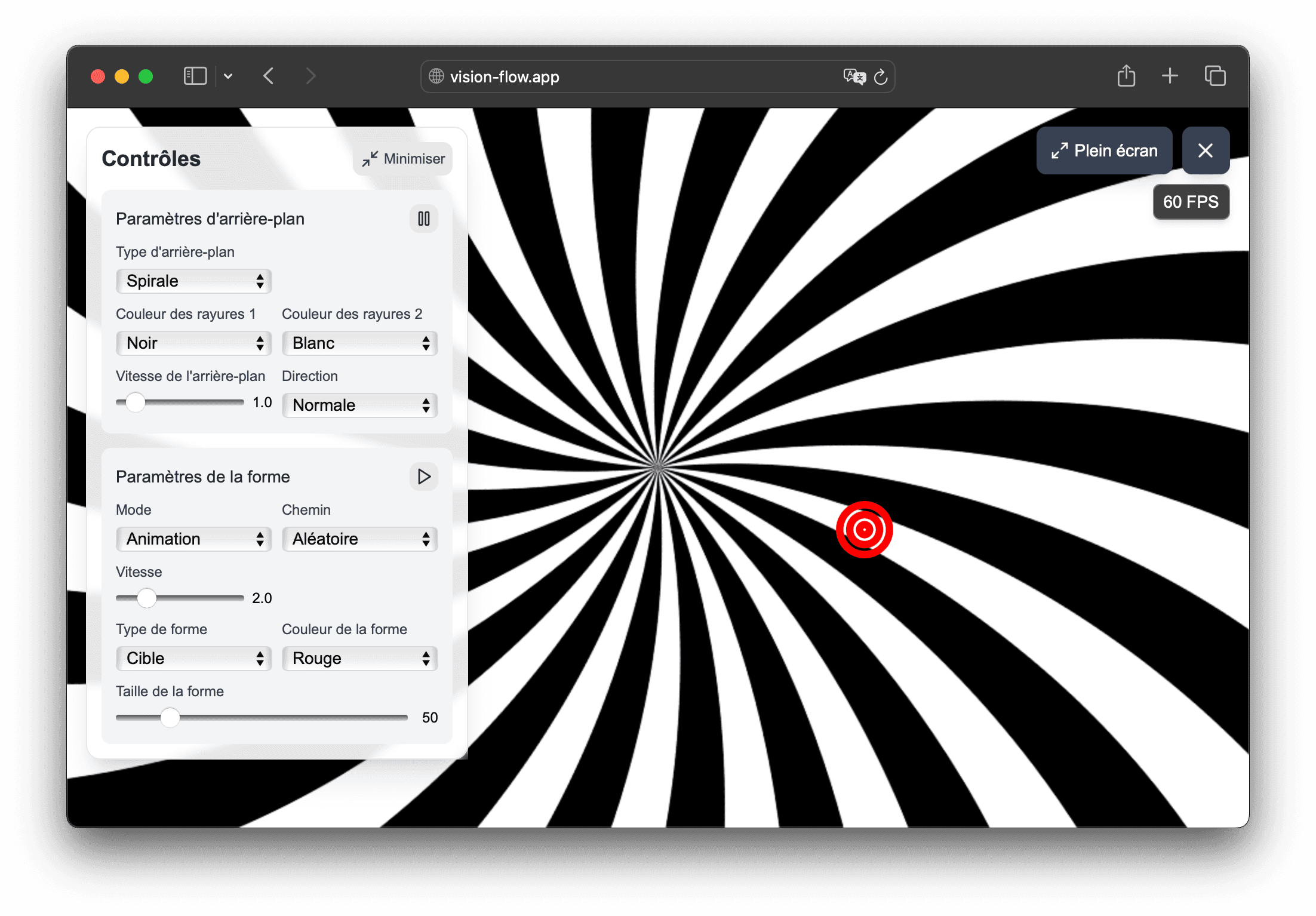
Screenshot of Vision Flow with the visual scene configuration interface

In the app

How Vision Flow helps prepare visual materials

Vision Flow combines presets, customizable flow and recorded sequences to help orthoptists, physiotherapists and vision professionals prepare visual scenes more easily.

  • Stimulus settings directly in the browser: background, speed, trajectory, size and shape type.
  • Sequences recorded with the Pro offer to prepare reproducible sequences.
  • Use on computer or tablet, with full screen.

01

What the app really does

You can launch an animated scene in a few seconds then adjust the stimulus parameters according to the rendering desired by your visual demonstration.

  • dynamic backgrounds: stripes, spiral, tunnel or hyperspace
  • adjustable animated shape: ball, arrow, heart, star and other icons
  • horizontal, vertical, circular, figure eight or random trajectories
  • full screen mode for a more immersive presentation

02

Moving from a single flow to a repeatable routine

Vision Flow does not stop at testing a single flow: the Pro offer allows you to compose real work sequences.

  • creation of personalized sequences with duration per step
  • duplication and modification of sequences depending on the context
  • quick playback of a sequence already prepared from the main menu
  • simpler organization of recurring demonstrations

03

For what uses by a professional?

Vision Flow can serve as a basis for several uses around the creation and presentation of visual stimuli.

  • demonstration of movement and contrast patterns
  • exploration of optical renderings on tablet or computer
  • workshops, education and visual experimentation
  • preparation of reusable visual sequences

Frequently asked questions

Useful answers before testing Vision Flow

Is this page aimed at orthoptists and physiotherapists?

Yes. Vision Flow is aimed at orthoptists, physiotherapists and vision professionals who want to create, present and explore visual stimuli.

Do I need to install software to use the application?

No. Vision Flow works directly in the browser, on computer or tablet. Simply log in to your account to find your tools.

What can be personalized in a flow?

You can adjust the type of background, the speed, density or size of the background, the animated shape, its size, its speed, its trajectory and, depending on the case, the colors of the stimulus.

What is the difference between a flow and a sequence?

A flow is a unique visual scene. A sequence is a chain of several flows with a defined duration for each step.

Can we try Vision Flow before purchasing?

Yes. You can experience the rendering and interface before upgrading to Pro.

Is the Pro offer a subscription?

No. Vision Flow Pro is a one-time purchase that unlocks full flows and sequence creation.

Usage framework

Vision Flow is a non-medical visual tool

Vision Flow is designed for demonstration, education, creation, presentation and exploration of visual stimuli. It is not intended to diagnose, treat, prevent, monitor, or rehabilitate any disease, symptom, or medical condition.

Certain visual stimuli can cause discomfort, visual fatigue, nausea, dizziness, headache or photosensitive reaction. Stop immediately if discomfort occurs and do not use the tool in a situation where disorientation could be dangerous.

See if Vision Flow matches your visual usage

Test the flows in the browser, then upgrade to the Pro plan if you want to unlock the full settings and record your presentation sequences.