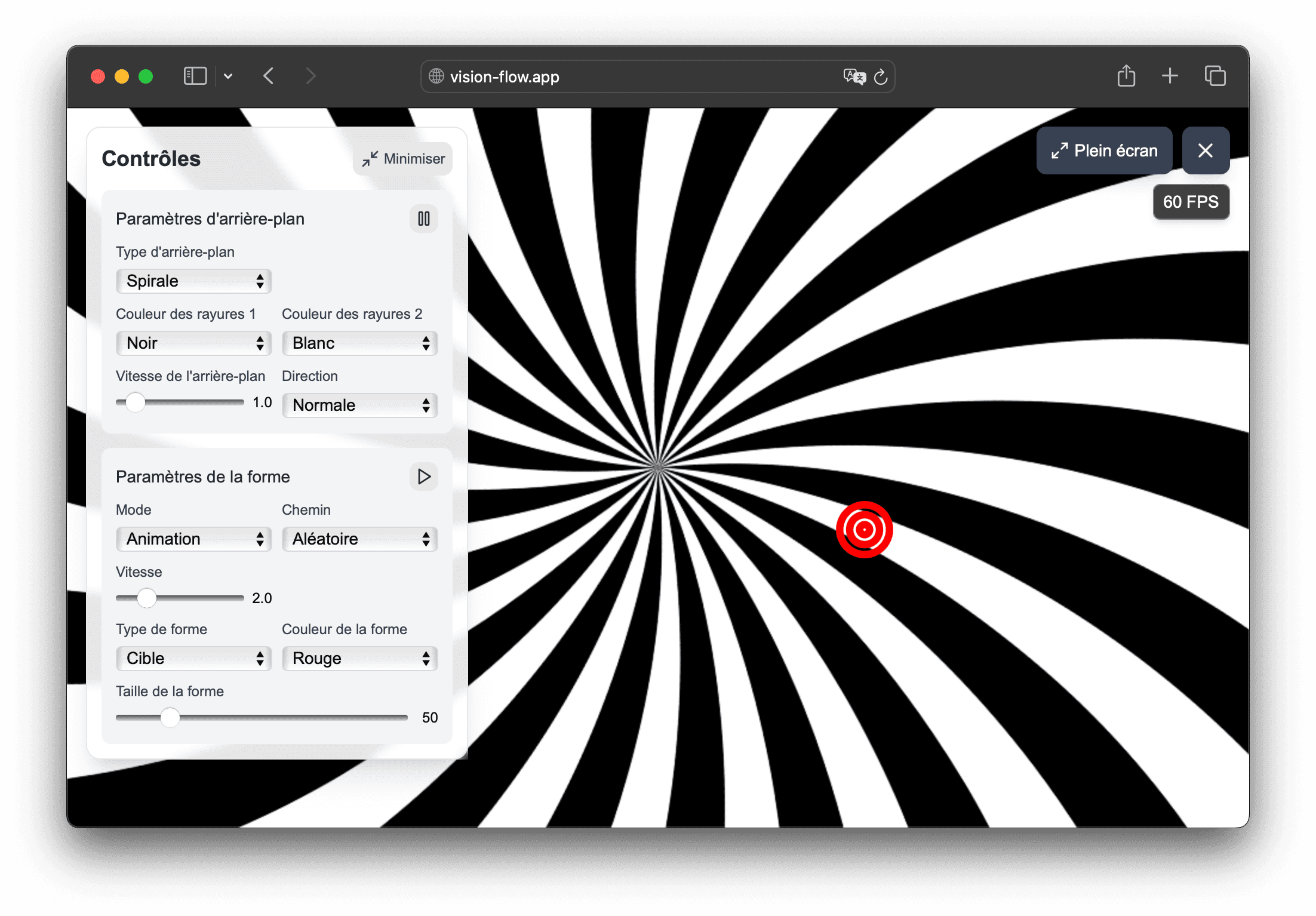
Visual stimuli configurable in the browser

A visual creation tool designed for professionals

Vision Flow helps build visual scenes adjusted to your presentation context: dynamic background, animated shape, trajectory, speed, duration and sequence can be modified without installation or complex configuration.

  • Useful adjustments to adapt the stimulus to the visual objective of your demonstration
  • Basic, fusion and anti-neutral presets available in the main menu
  • Organization of flows in sequences to prepare repeatable renderings
  • Browser compatibility for use on computer, tablet or large screen
  • Free settings to keep control of your visual media
Overview of custom flows available in Vision Flow

In the app

How Vision Flow helps prepare visual materials

Vision Flow combines presets, customizable flow and recorded sequences to help orthoptists, physiotherapists and vision professionals prepare visual scenes more easily.

  • Stimulus settings directly in the browser: background, speed, trajectory, size and shape type.
  • Sequences recorded with the Pro offer to prepare reproducible sequences.
  • Use on computer or tablet, with full screen.

01

Finely adapt visual stimuli

The application allows you to modulate the essential parameters of a flow without using a complex technical tool.

  • speed of background and animated shape
  • stripe size, tunnel density or star size in hyperspace
  • horizontal, vertical, circular, figure eight or infinite paths
  • Colorful presets useful for specific visual uses

02

Build a work sequence more easily

With Pro sequences, Vision Flow becomes a more stable visual creation tool over time, not just a stimulus viewer.

  • sequence of several flows with defined durations
  • simple playback of the chosen sequence from the main menu
  • editing and duplication of sequences to vary the renderings
  • time saving when several uses follow a close base

03

A flexible solution for different presentation contexts

100% web operation allows you to maintain the same visual cues from one device to another.

  • use on a computer, large screen or tablet
  • use on tablet for more mobile situations
  • simple sharing of the same rendering between several media
  • no installation to be done on the user side

Frequently asked questions

Useful answers before testing Vision Flow

Is Vision Flow only suitable for one type of visual scene?

No. The application is especially interesting when you need to configure visual stimuli and easily reorganize them according to the desired rendering.

Why does this page talk about orthoptists and physiotherapists?

Because Vision Flow may be of interest to professionals who are looking for a simple support for creating, adjusting and presenting visual stimuli.

What presets are already available?

The main menu today offers a basic flow, a fusion flow and an anti-neutralization flow, with colors and constraints adapted to these uses.

Can you record your own sequences?

Yes with the Pro offer. You can create a sequence made up of several flows, define their duration and then replay it later with one click.

Does the application also work on tablet?

Yes. Vision Flow is responsive and can be used on tablets, with full screen mode to present flows more comfortably.

Do you have to reconfigure everything each time?

No. The presets give a quick starting point and the sequences allow you to find an organization without starting from scratch.

Usage framework

Vision Flow is a non-medical visual tool

Vision Flow is designed for demonstration, education, creation, presentation and exploration of visual stimuli. It is not intended to diagnose, treat, prevent, monitor, or rehabilitate any disease, symptom, or medical condition.

Certain visual stimuli can cause discomfort, visual fatigue, nausea, dizziness, headache or photosensitive reaction. Stop immediately if discomfort occurs and do not use the tool in a situation where disorientation could be dangerous.

See if Vision Flow matches your visual usage

Test the flows in the browser, then upgrade to the Pro plan if you want to unlock the full settings and record your presentation sequences.