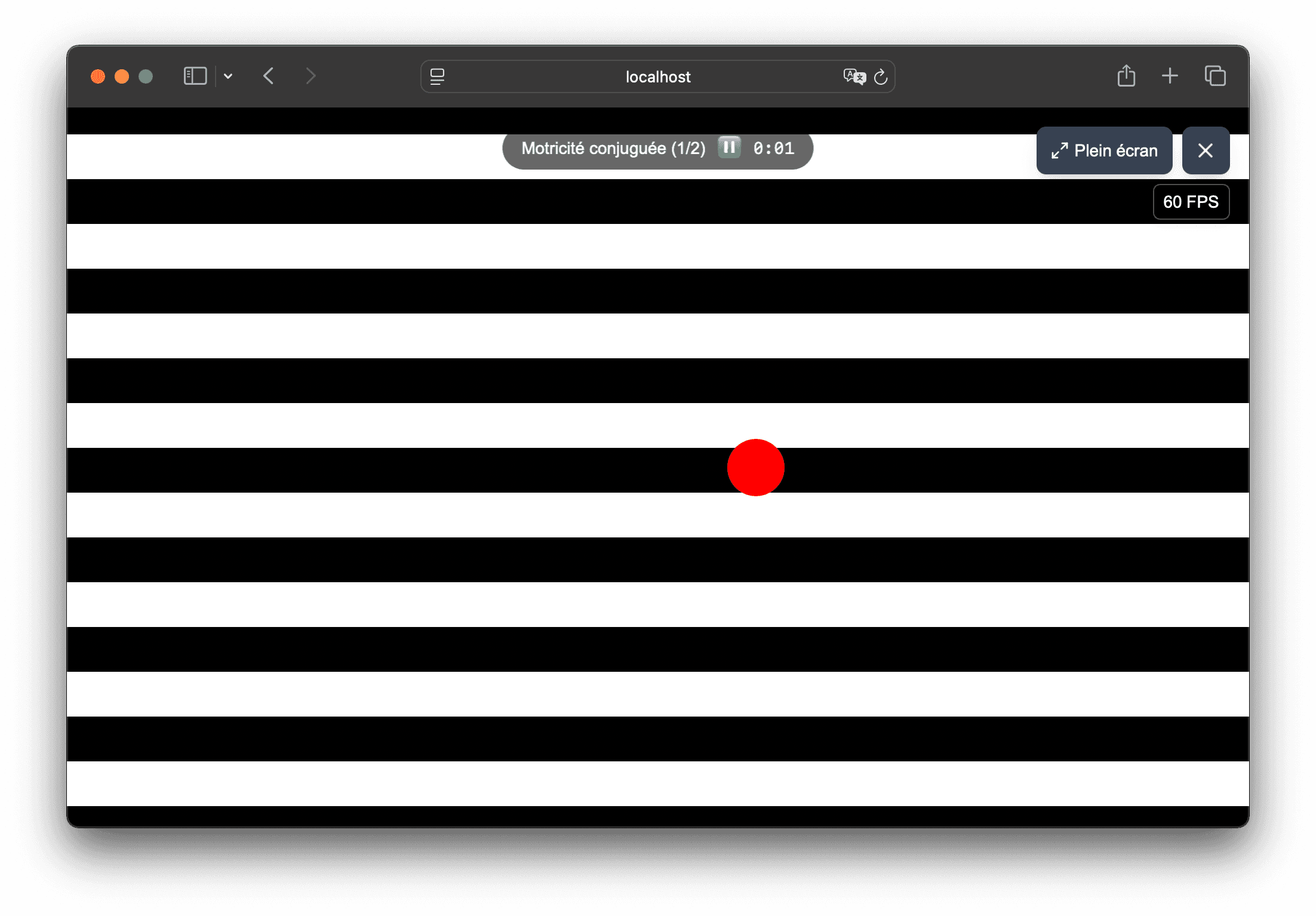
Tablet, browser and full screen mode

Visual stimuli on tablets for orthoptists

Vision Flow works in the browser and adapts to the tablet to display personalized flows or replay an already prepared sequence. This is a practical solution when you want a mobile station or a support that is easy to move.

  • Interface accessible on iPad and Android tablets
  • Full screen mode to show the stimulus more clearly
  • No downloads or mobile apps to install
  • Same usage logic as on computer: presets, flows and sequences
  • Mobile presentation support for orthoptists
Reading a Vision Flow sequence on a suitable interface

In the app

How Vision Flow helps prepare visual materials

Vision Flow combines presets, customizable flow and recorded sequences to help orthoptists, physiotherapists and vision professionals prepare visual scenes more easily.

  • Stimulus settings directly in the browser: background, speed, trajectory, size and shape type.
  • Sequences recorded with the Pro offer to prepare reproducible sequences.
  • Use on computer or tablet, with full screen.

01

Why the tablet is practical in Vision Flow

The product has already been designed for multi-media use: the interface loads in the browser and remains readable on a touch screen.

  • direct access by URL, without application store
  • full screen available to better focus your gaze on the stimulus
  • simple navigation between the flows menu and reading sequences
  • quick installation for uses that often change rooms or supports

02

How to organize a sequence on a tablet

The tablet does not prevent structured use: it benefits from the same product building blocks as the rest of the application.

  • quick test of presets from the main menu
  • flow customization if you need to modify the stimuli
  • reading sequences prepared in advance to save time
  • easy use of the same tool during a demonstration

03

What to plan for equipment

The goal is not to add technical complexity. A few points are enough to maintain reliable rendering on a tablet.

  • a recent compatible browser such as Safari, Chrome or Edge
  • sufficient brightness and stable support if the tablet is placed
  • red/green glasses if you use presets that require them
  • an internet connection to access your content and your account

Frequently asked questions

Useful answers before testing Vision Flow

Should I install an iPad or Android app?

No. Vision Flow is a web application. You simply open the site in the tablet's browser.

Is full screen mode available on tablet?

Yes, if the browser and device allow it. Vision Flow detects full screen support and displays the corresponding control.

Can we use the same sequences as on the computer?

Yes. The sequences saved in your account are found regardless of the device used.

Is the tablet enough to test the flows before purchase?

Yes. You can discover the rendering and verify that the tool is suitable for your use before unlocking the Pro offer.

In what cases is the tablet useful?

The tablet is especially useful if you are looking for a mobile tool, without installation, to quickly show a stimulus or find a sequence already prepared.

Does the tablet change the context of use?

No. On tablets and computers, Vision Flow is used to create, present and explore visual stimuli.

Usage framework

Vision Flow is a non-medical visual tool

Vision Flow is designed for demonstration, education, creation, presentation and exploration of visual stimuli. It is not intended to diagnose, treat, prevent, monitor, or rehabilitate any disease, symptom, or medical condition.

Certain visual stimuli can cause discomfort, visual fatigue, nausea, dizziness, headache or photosensitive reaction. Stop immediately if discomfort occurs and do not use the tool in a situation where disorientation could be dangerous.

See if Vision Flow matches your visual usage

Test the flows in the browser, then upgrade to the Pro plan if you want to unlock the full settings and record your presentation sequences.